
2026-11-22
Houdini: a rigged soccer ball
My second Houdini project took one object all the way through: model, UVs, rig, animation and render, with each stage saved to a file before the next one picks it up.
Making it round
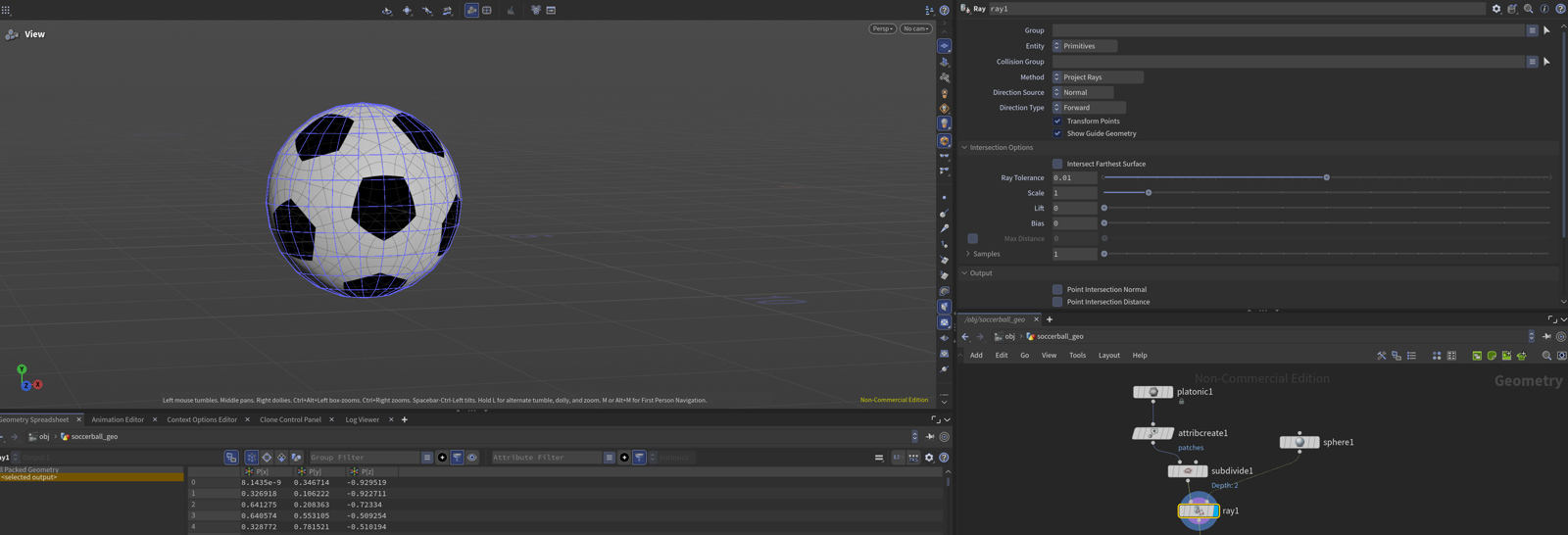
The platonic node has a soccer ball type, the 12 pentagons and 20 hexagons, but it comes out flat-faced like a cut gem. I gave each of the 32 panels a number in an attribute called patches, subdivided it so it had enough points to bend, then used a ray node to push every point along its normal until it hit a plain sphere. The panel layout stays, and the shape becomes perfectly round. The blue wireframe is the sphere it projects onto.
Seams with a for-each loop
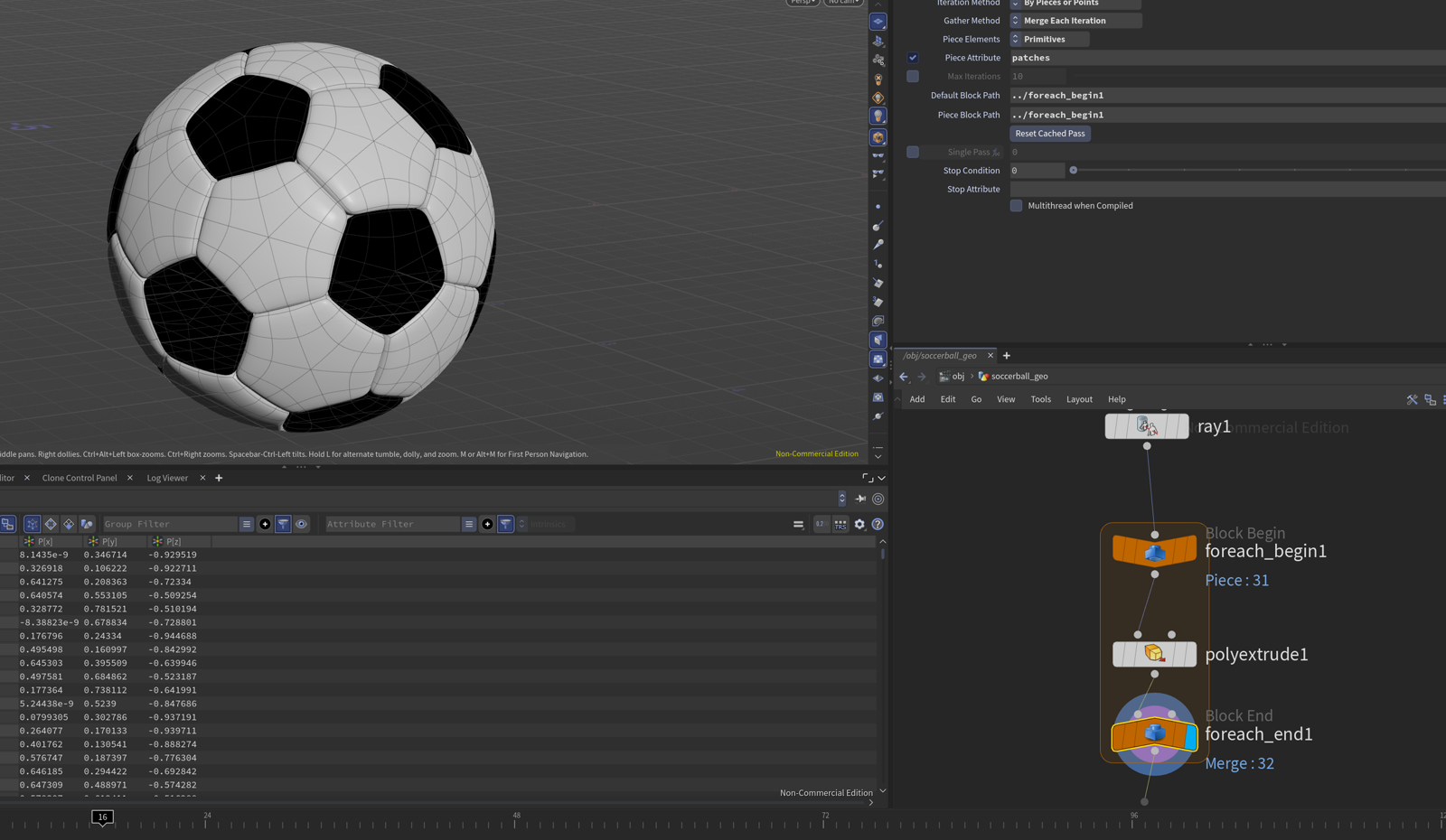
To get the stitched look, each panel needs to puff out on its own. A for-each loop set to the patches attribute picks up one panel at a time, runs a polyextrude on it, and merges all 32 back together. Extruding the whole ball at once would just make it bigger with no seams.
UVs
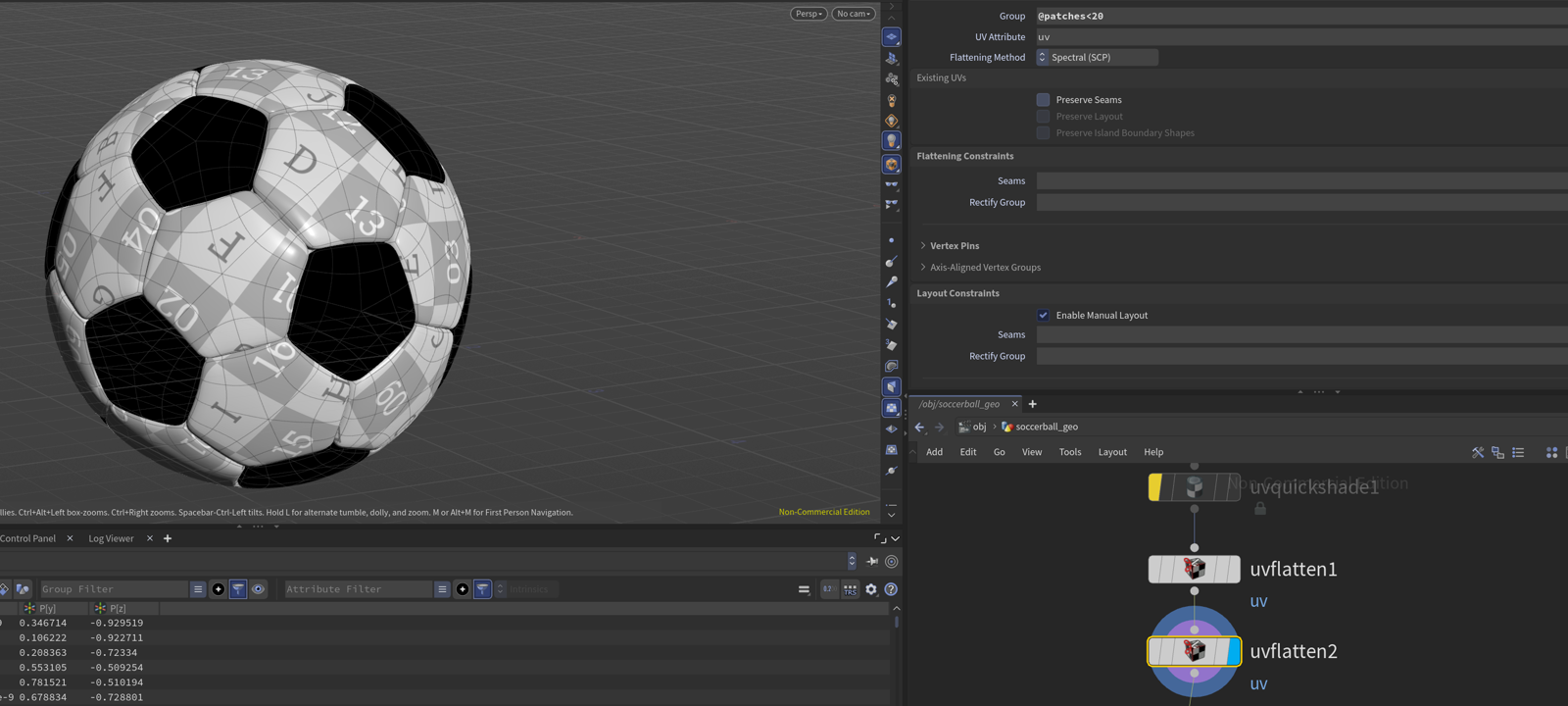
I unwrapped the panels with uvflatten (spectral), using patches again to pick which panels each node handles, and checked them with uvquickshade. The letters on the test texture stay even and readable, so nothing is badly stretched.
Rigging in APEX
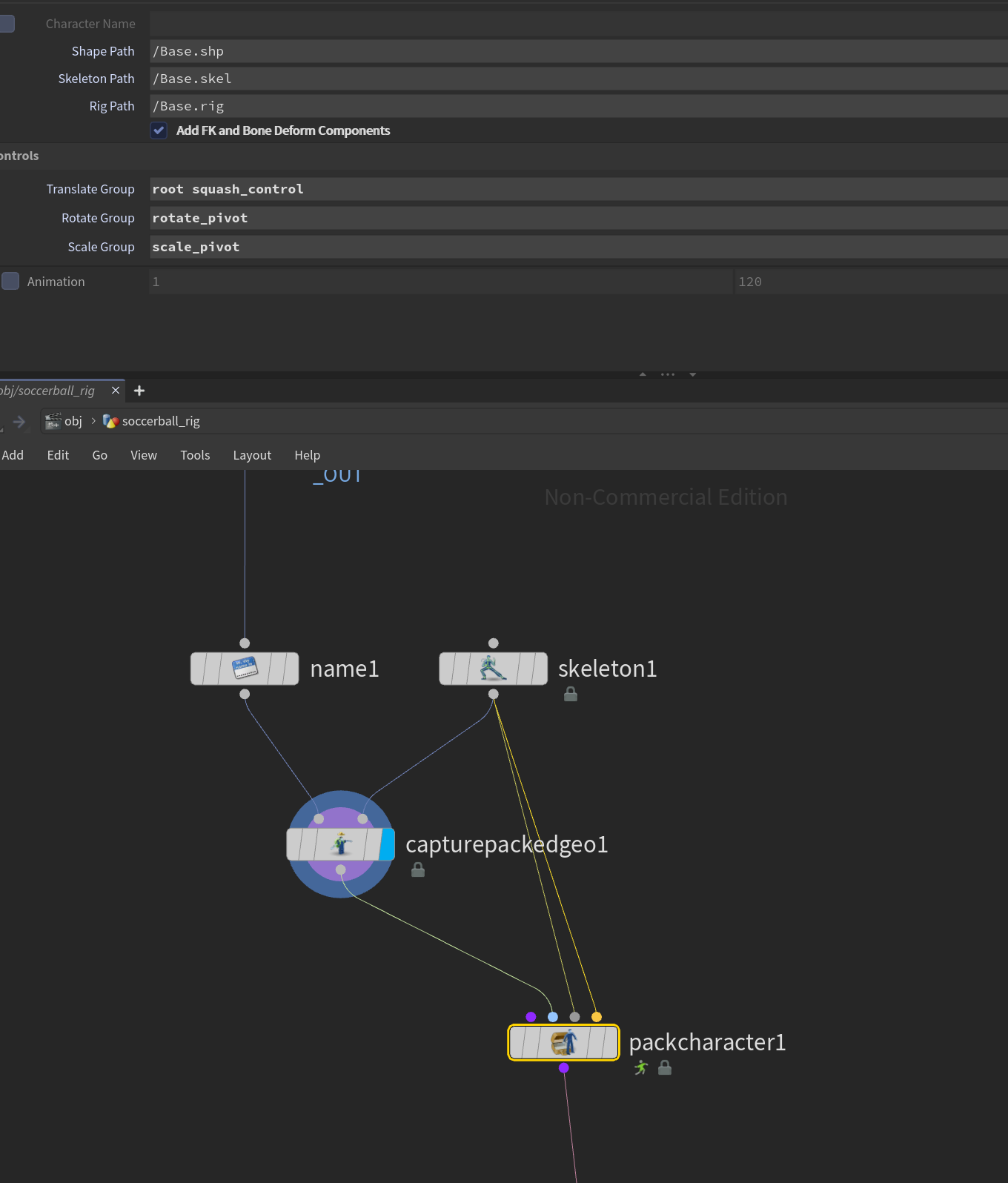
This was my first rig in APEX. A skeleton with four joints (root, squash_control, rotate_pivot, scale_pivot) gets bound to the ball with capturepackedgeo, and packcharacter bundles the shape, skeleton and rig into one character. configurecontrols sets up the handles, and I kept the steps in sticky notes on the network so I can follow them next time.
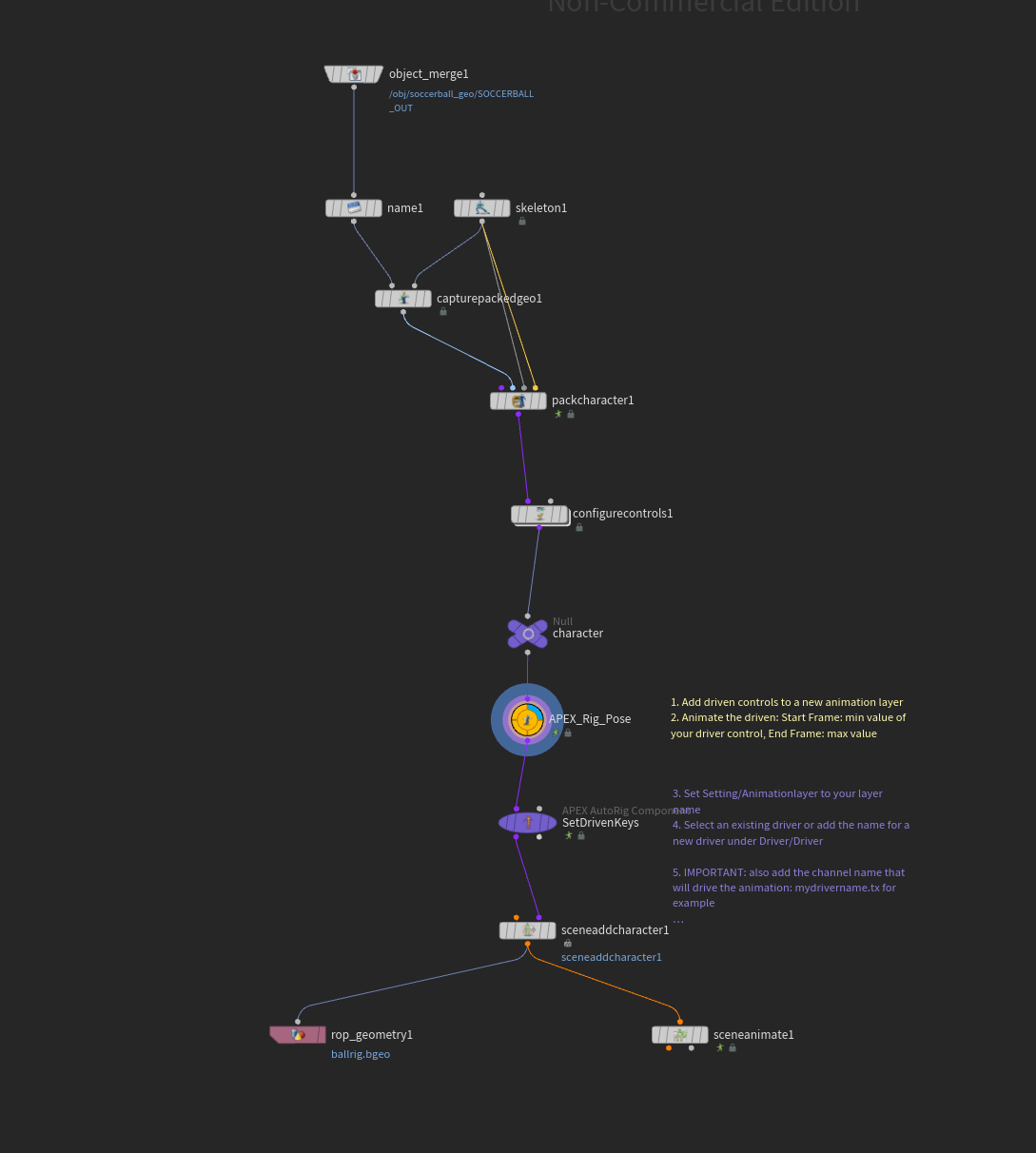
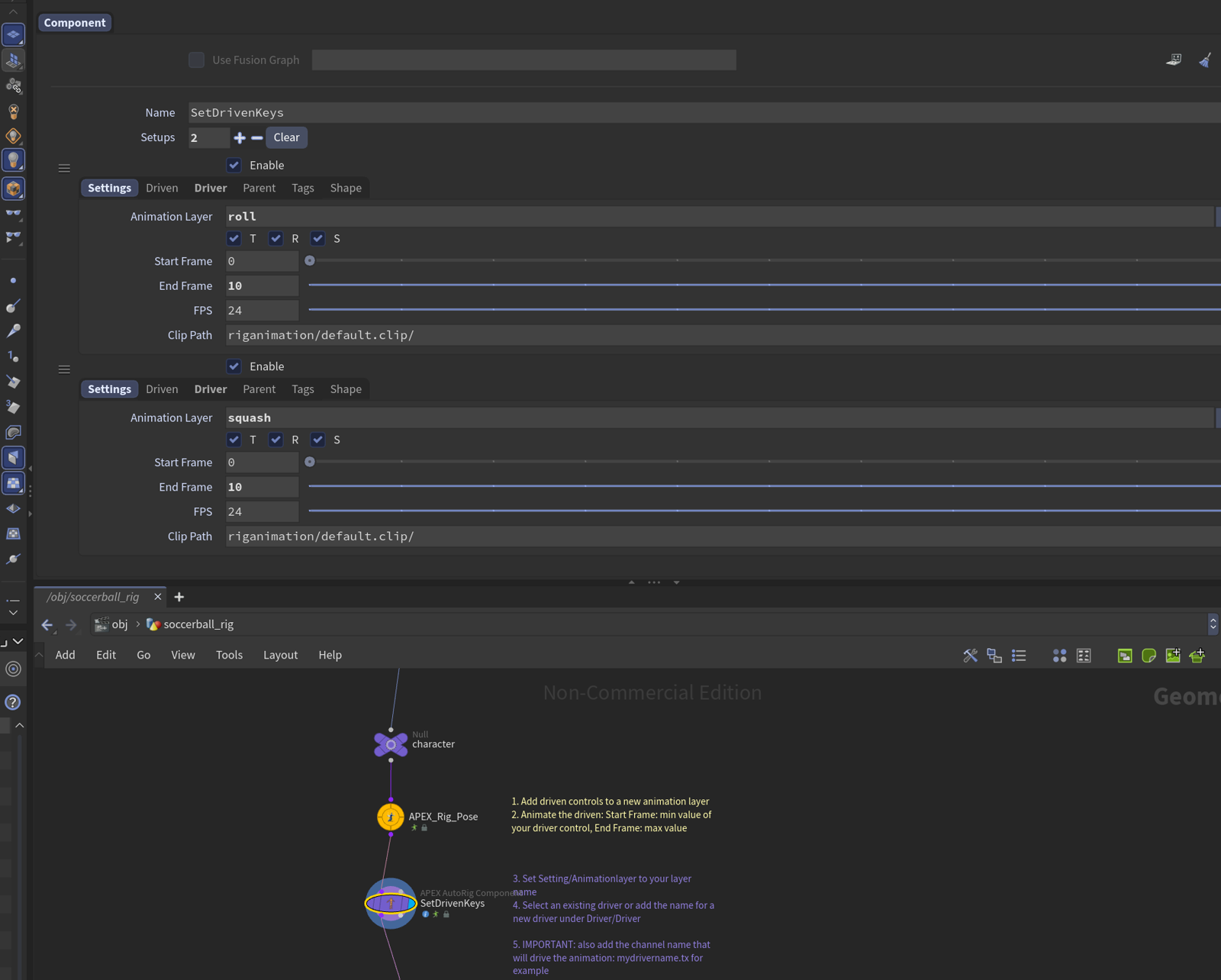
The part I liked most is SetDrivenKeys. It has two setups, one on a layer called roll and one called squash, each a short pose clip from frame 0 to 10. A driver control scrubs through that clip, so the spin and the squash follow the motion instead of being keyed by hand.
Animating
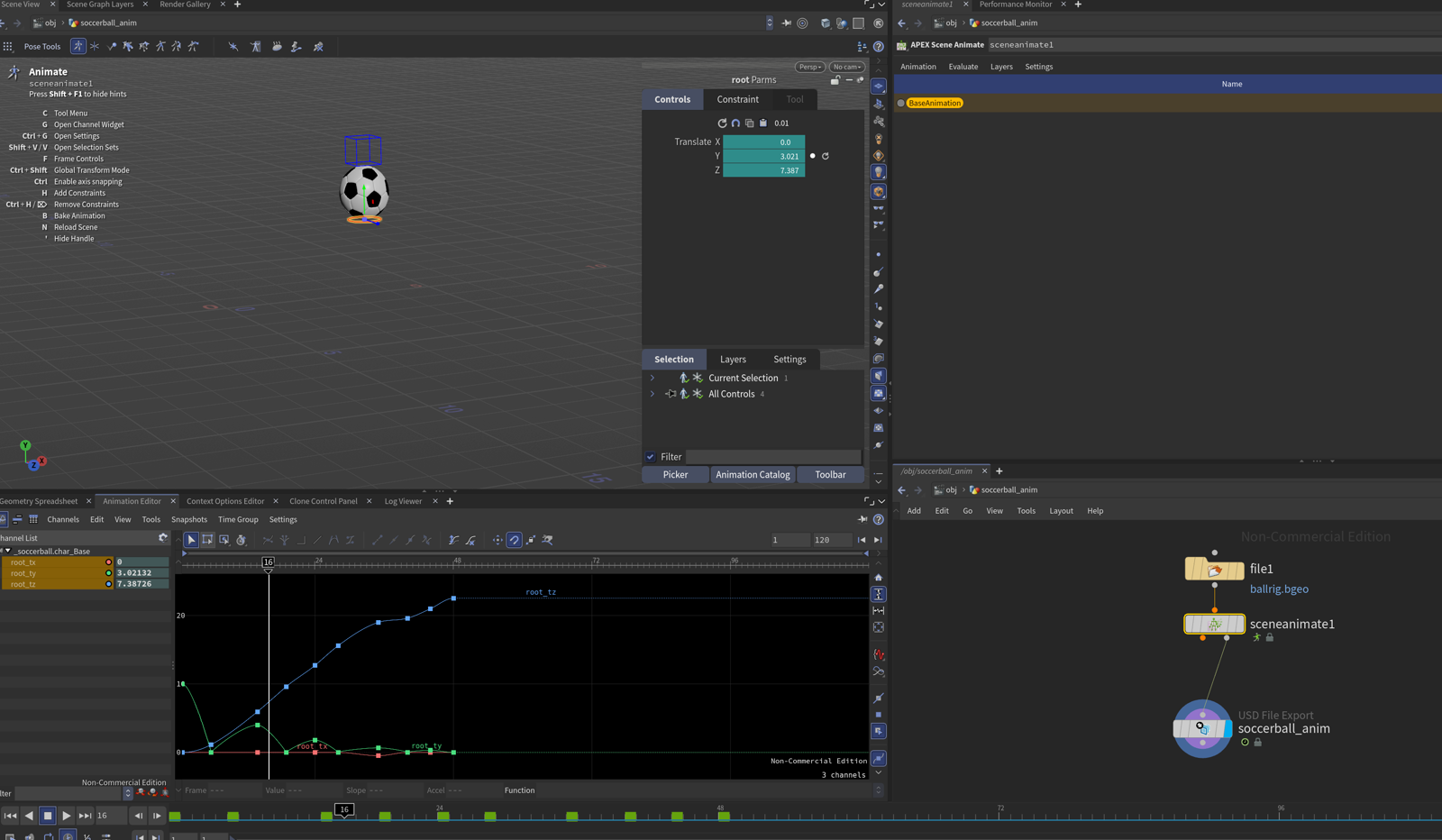
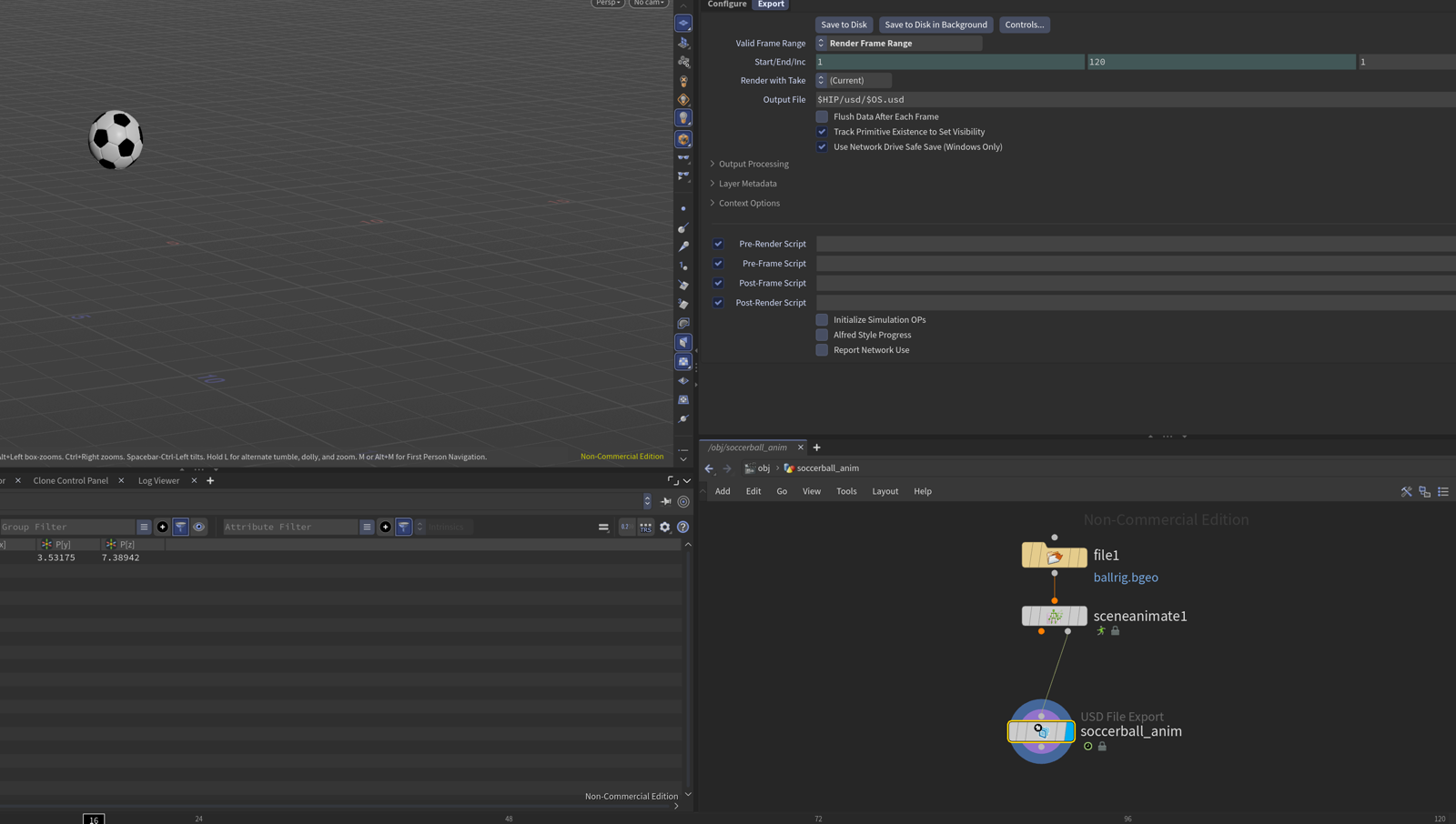
The rig is saved to ballrig.bgeo, loaded into a separate network, and animated with sceneanimate. I only keyed the root control: it drops from a height of 10, bounces a few times with each bounce smaller, and rolls forward until it stops around frame 48. The rig does the rest. A USD export writes frames 1 to 120 out for lighting.
Rendering
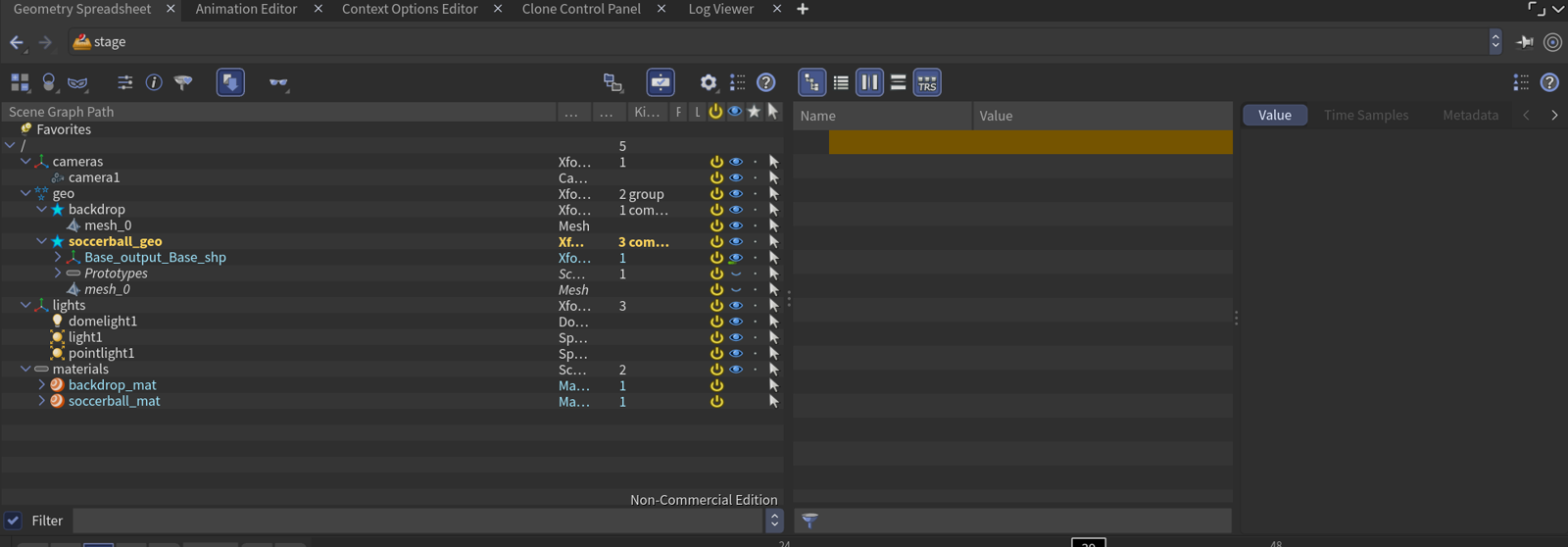
In Solaris the scene comes together as cameras, geo, lights and materials: the ball and a concrete backdrop, a dome light with two more lights for the shadow, and a material for each. I rendered all 120 frames in Karma.
Before this I made a mug and a gumball sim.